Bald Filter
See yourself bald before you shave. Upload a photo and AI removes every hair from your head, leaving a smooth, natural scalp while your face stays the same.
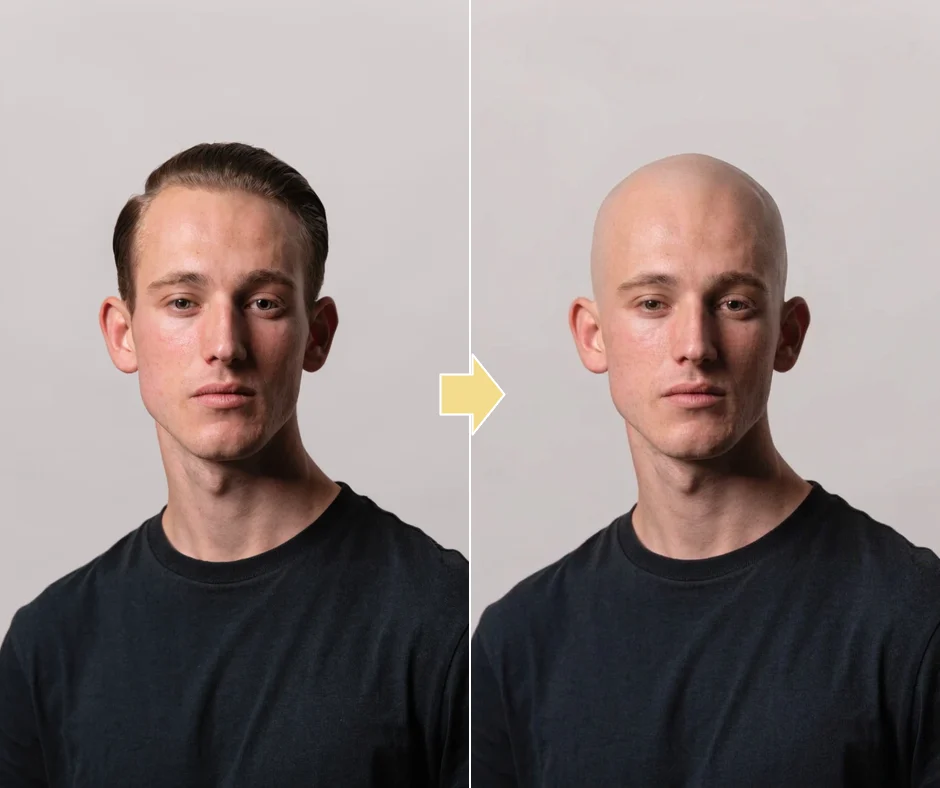
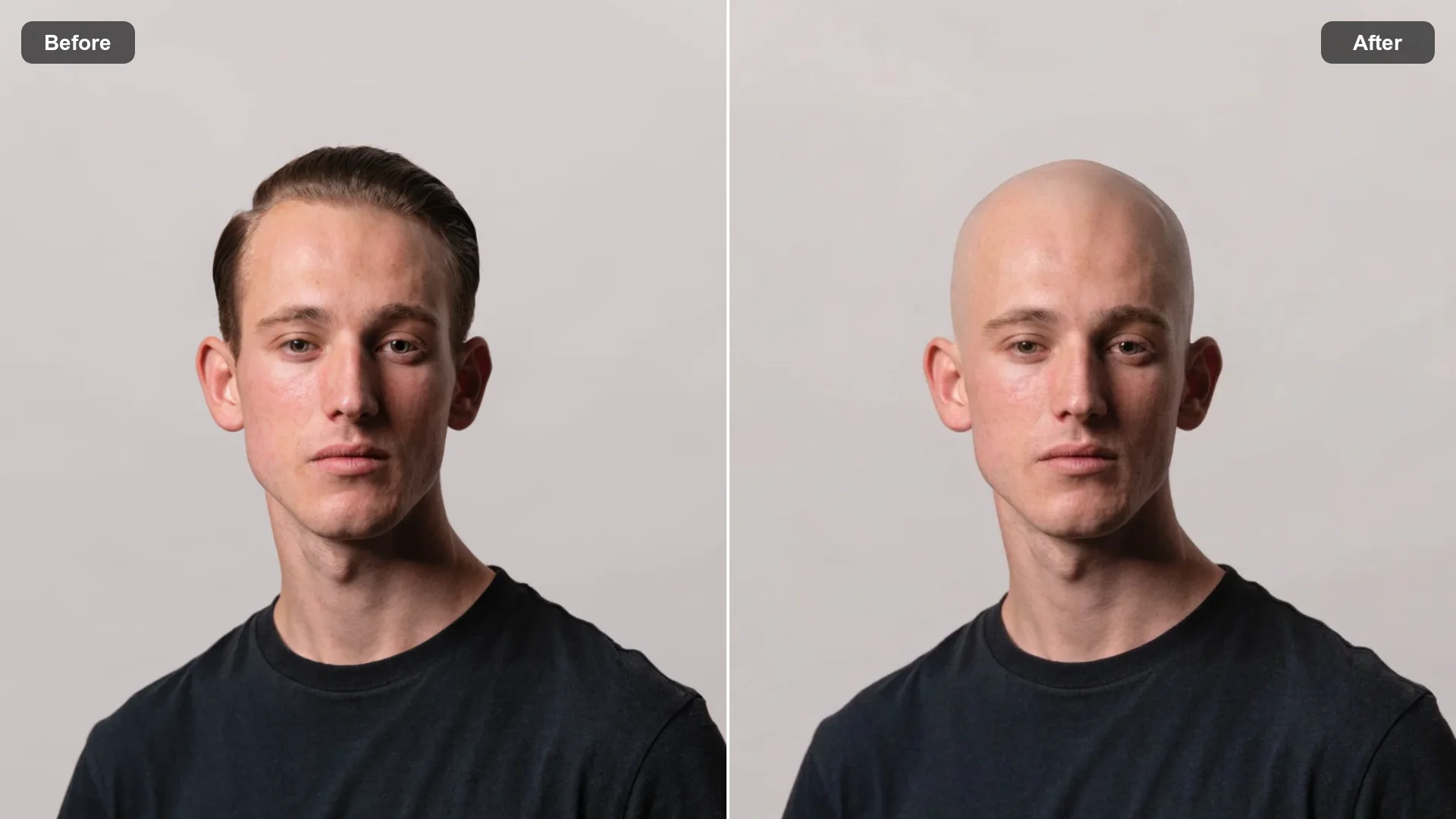
See Yourself Bald, Without the Razor
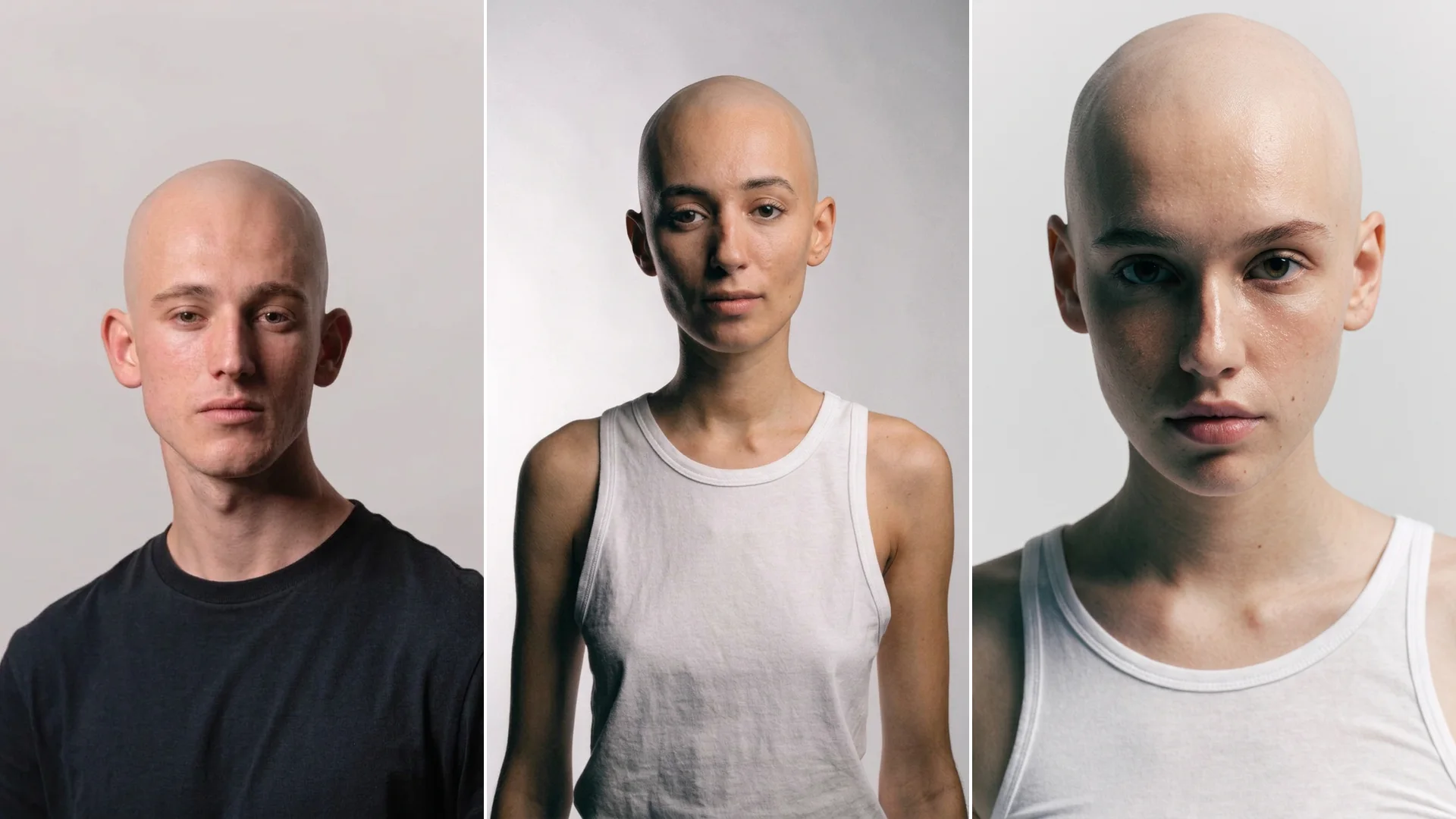
Going bald by choice is a big step, and there is no undo once the razor is out. Upload a photo and the AI Bald filter removes every hair from your head, leaving a smooth, bare scalp that follows the real shape of your skull. Your face, eyebrows, beard and expression stay exactly as they were, so the picture answers one question: does the look suit you?
A Natural Scalp, Not a Pasted-On Dome
The filter paints real skin where the hair was: the same tone as your face, with natural texture and the same light falling on it as on the rest of the photo. The hairline, ears and neck are cleaned up too, so there is no leftover fringe or shadow of hair to give the edit away.
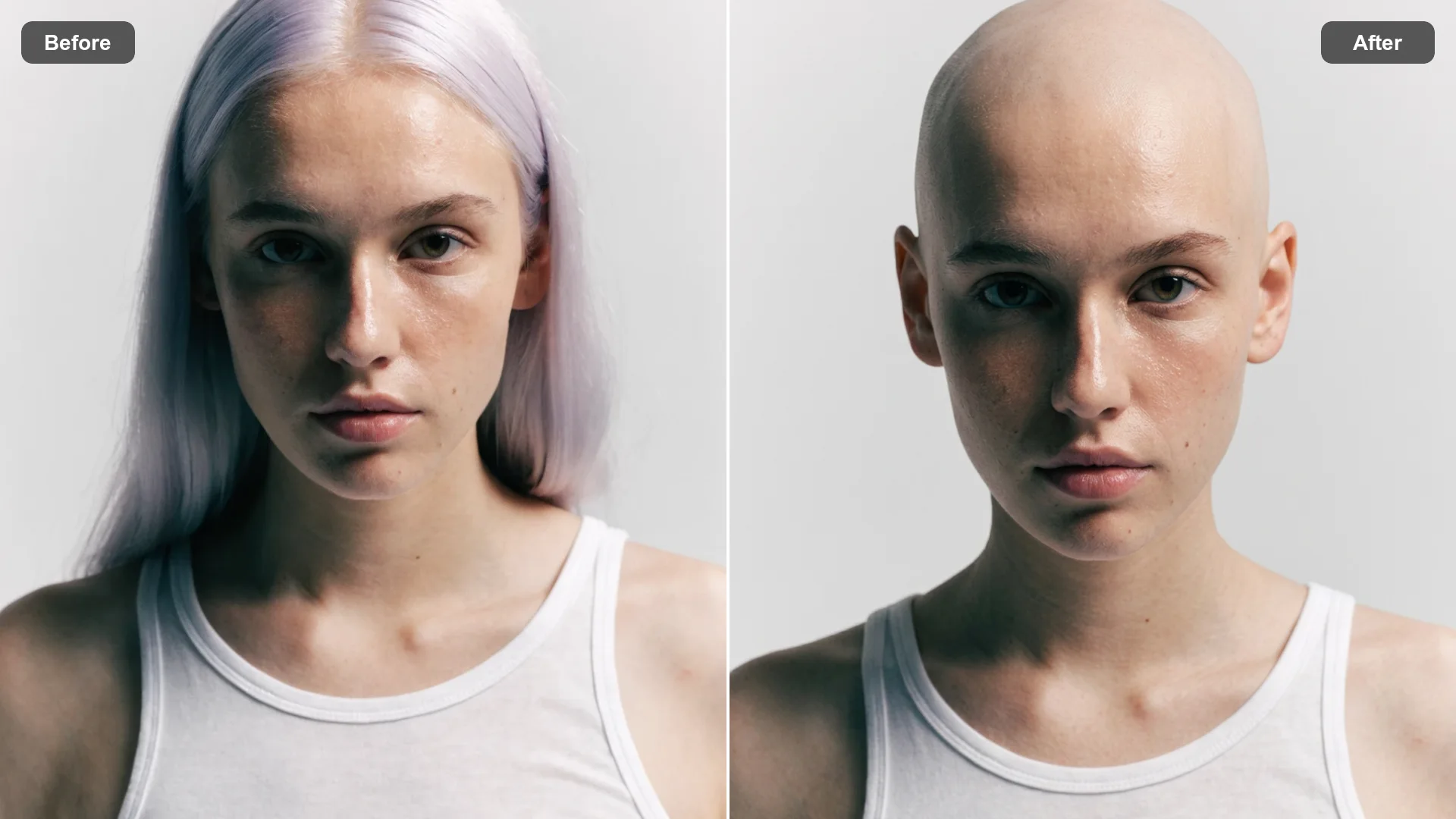
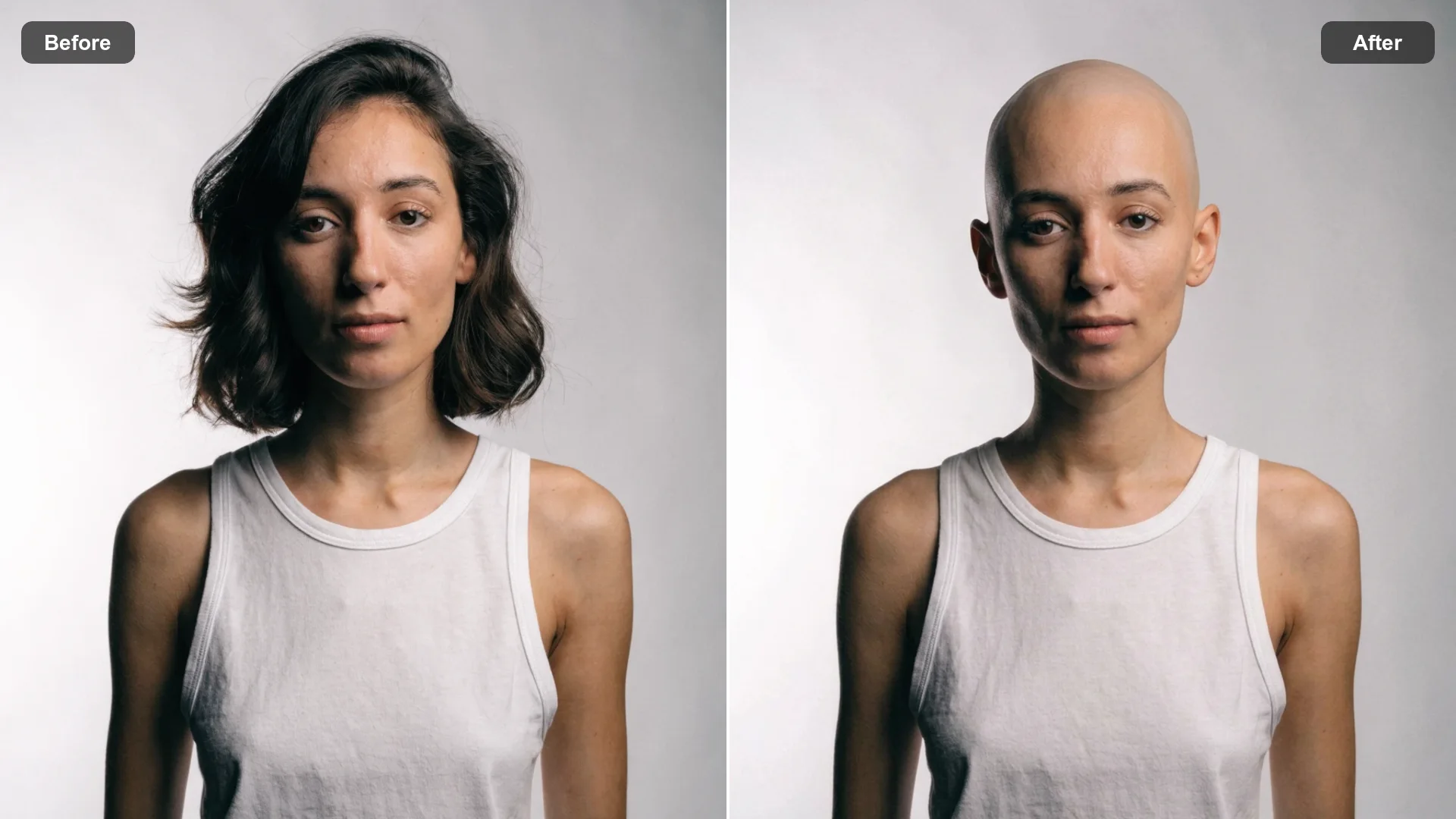
Works on Long, Curly and Short Hair
Long straight hair, a curly bob or a short crop: everything is removed, including hair resting on the shoulders or falling over the ears, and none is left in the background. It works for men and women alike, on any skin tone, and keeps your clothes, jewellery and background untouched.
One Upload, a Result in Under a Minute
No prompt, no settings and no editing skills needed: choose a photo, apply the filter and download the result. A clear portrait with the whole head in frame gives the most convincing scalp. Pro members can apply the filter to up to ten photos at once to compare different angles side by side.
Discover the Possibilities
See the Bald Look Before You Shave It All Off
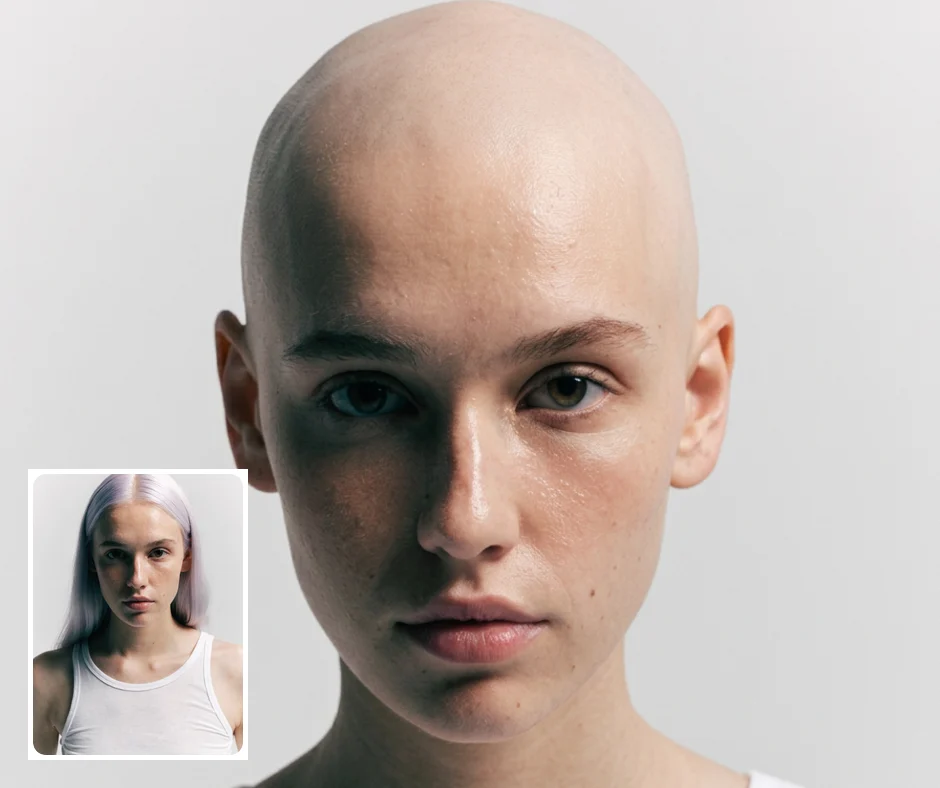
Decide Whether to Shave
Thinning hair, a receding hairline or simply curiosity: see a clean-shaven head on your own face before you decide to commit.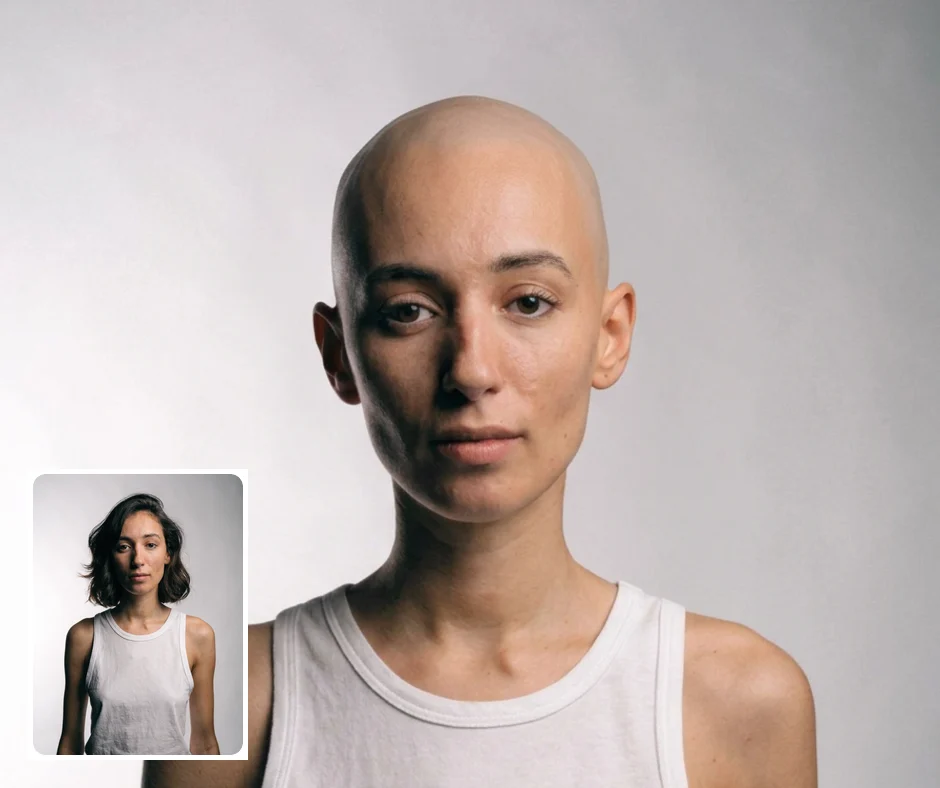
Preview a Character or Costume
Actors, cosplayers and make-up artists can test a bald look for a role, a bald cap or a costume before the shoot day.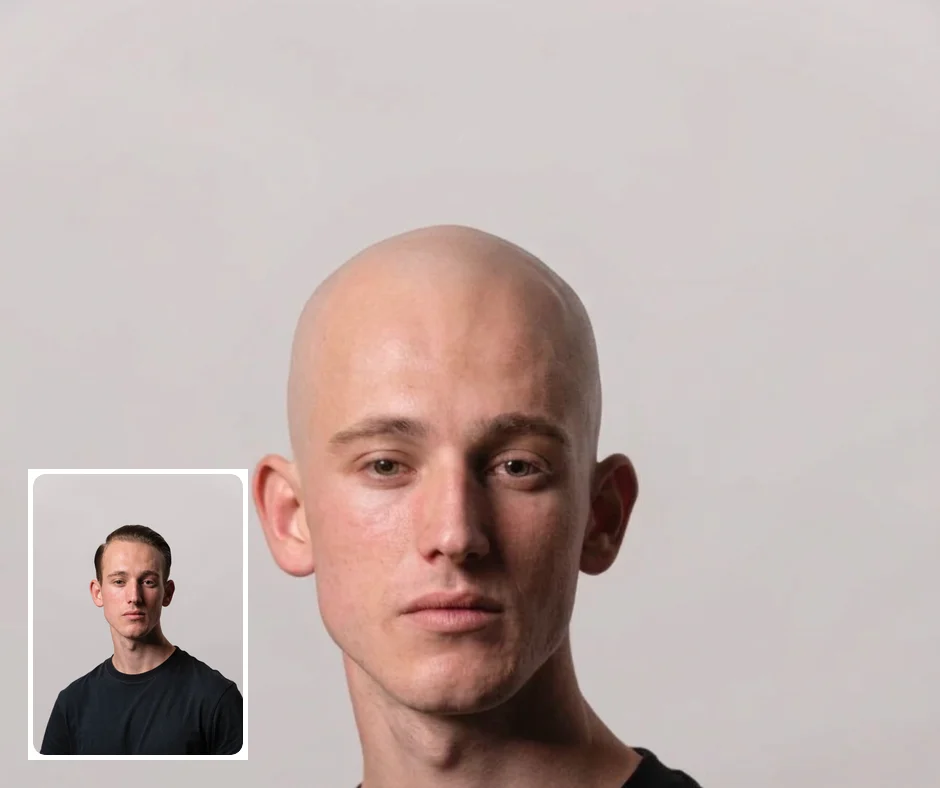
Share a Funny Transformation
Surprise friends with a bald version of yourself, or post a before-and-after that gets people talking on social media.
Transform Your Photos
Explore More AI Image Filters
Frequently Asked Questions
What is the AI Bald filter?
It is an AI photo filter that removes all of the hair from the head of the person in your photo and replaces it with a smooth, natural scalp. The face, eyebrows, any beard, clothing, lighting and background are kept as they were.
Will it still look like me?
Yes. The filter changes only the hair on your head and keeps your face, features, skin tone and expression, so the result reads as a photo of you taken in the same session.
Does it remove my beard or eyebrows?
No. Eyebrows, eyelashes and any beard or moustache are kept. Only the hair on the scalp is removed.
What kind of photo works best?
A clear photo of one person with the whole head in frame, facing the camera or at a slight angle, in even light. Group photos, hats and heads cut off by the edge of the frame give weaker results.
Can I apply the filter to several photos at once?
Pro members can apply the filter to up to ten photos in one go. On other plans, one photo is processed at a time.
How much does it cost?
Each photo uses credits from your Patternful plan. The Generate button shows the exact cost before you apply the filter, and you are not charged for a photo that fails.