Buzz Cut Filter
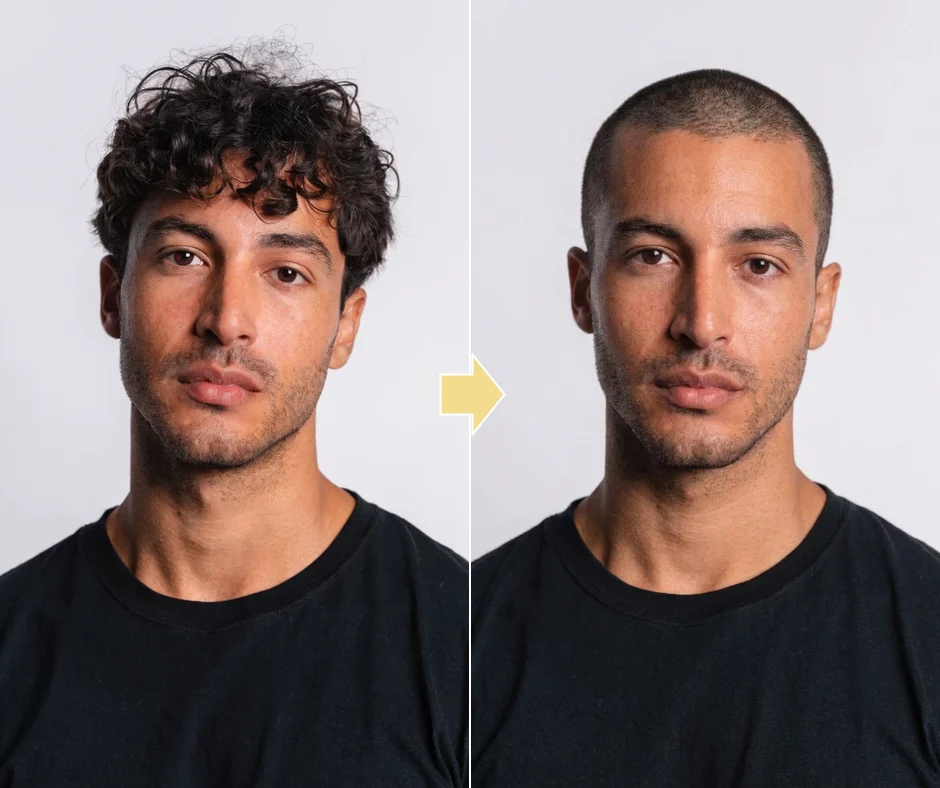
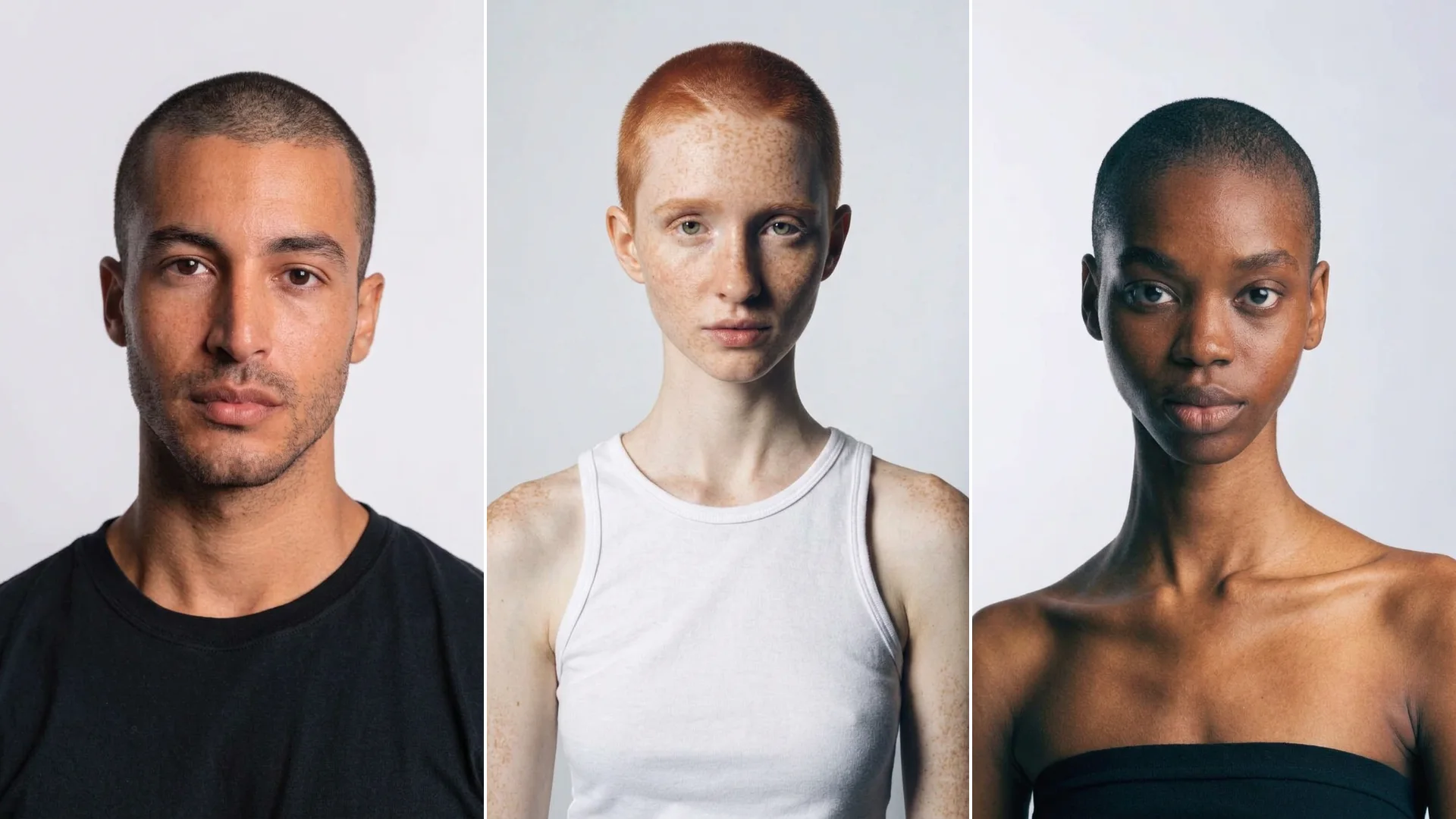
Try a buzz cut before you shave. Upload a photo and AI clips your hair to an even short stubble, keeping your face, hair colour and features as they are.
See Yourself with a Buzz Cut Before You Commit
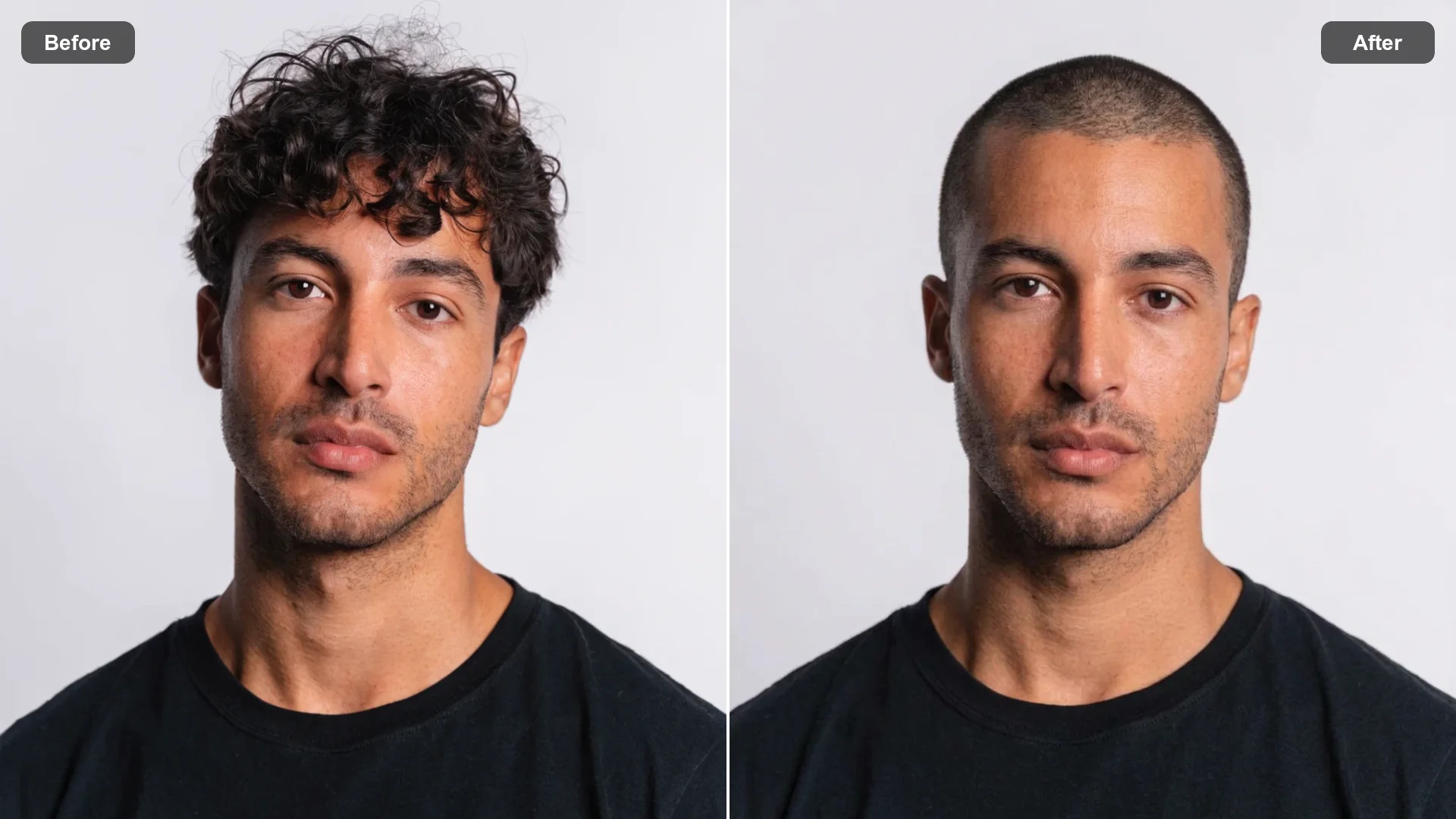
A buzz cut is quick to get and slow to grow out, so it is worth seeing first. Upload a photo and the AI Buzz Cut filter clips your hair down to an even stubble of a few millimetres all over, with your hairline and the shape of your head showing through. Your face, expression, beard and clothes stay exactly as they were, so the only thing you are judging is the haircut.
Long Hair Gone, Your Own Colour Kept
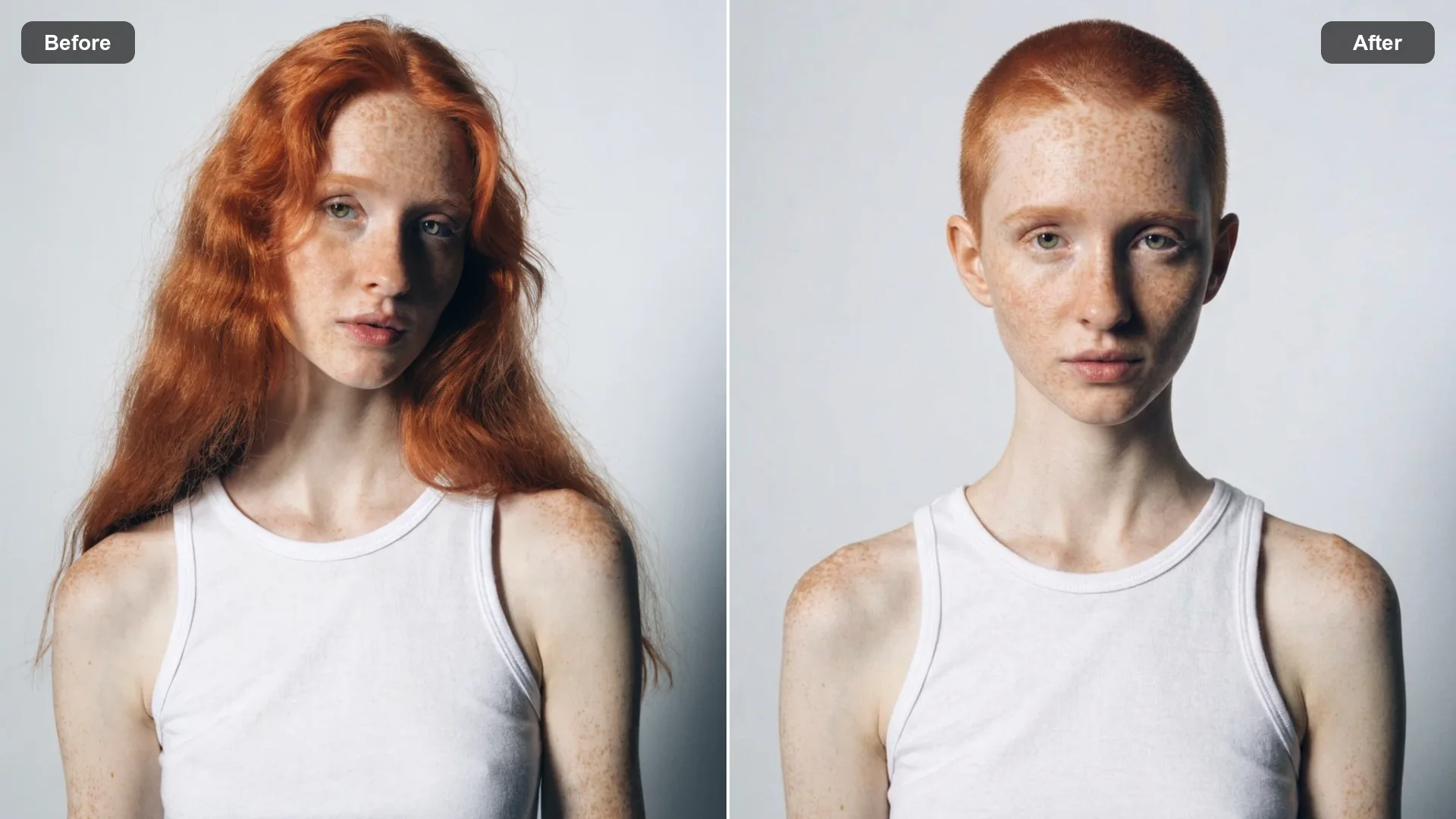
Long, wavy or layered hair is removed completely, with nothing left on the shoulders, over the ears or in the background. The stubble that remains keeps your natural colour, so a redhead stays red and dark hair stays dark. Freckles, skin texture and makeup are left alone, which is what makes the result look like a photo of you rather than a new person.
Natural Stubble on Every Hair Type
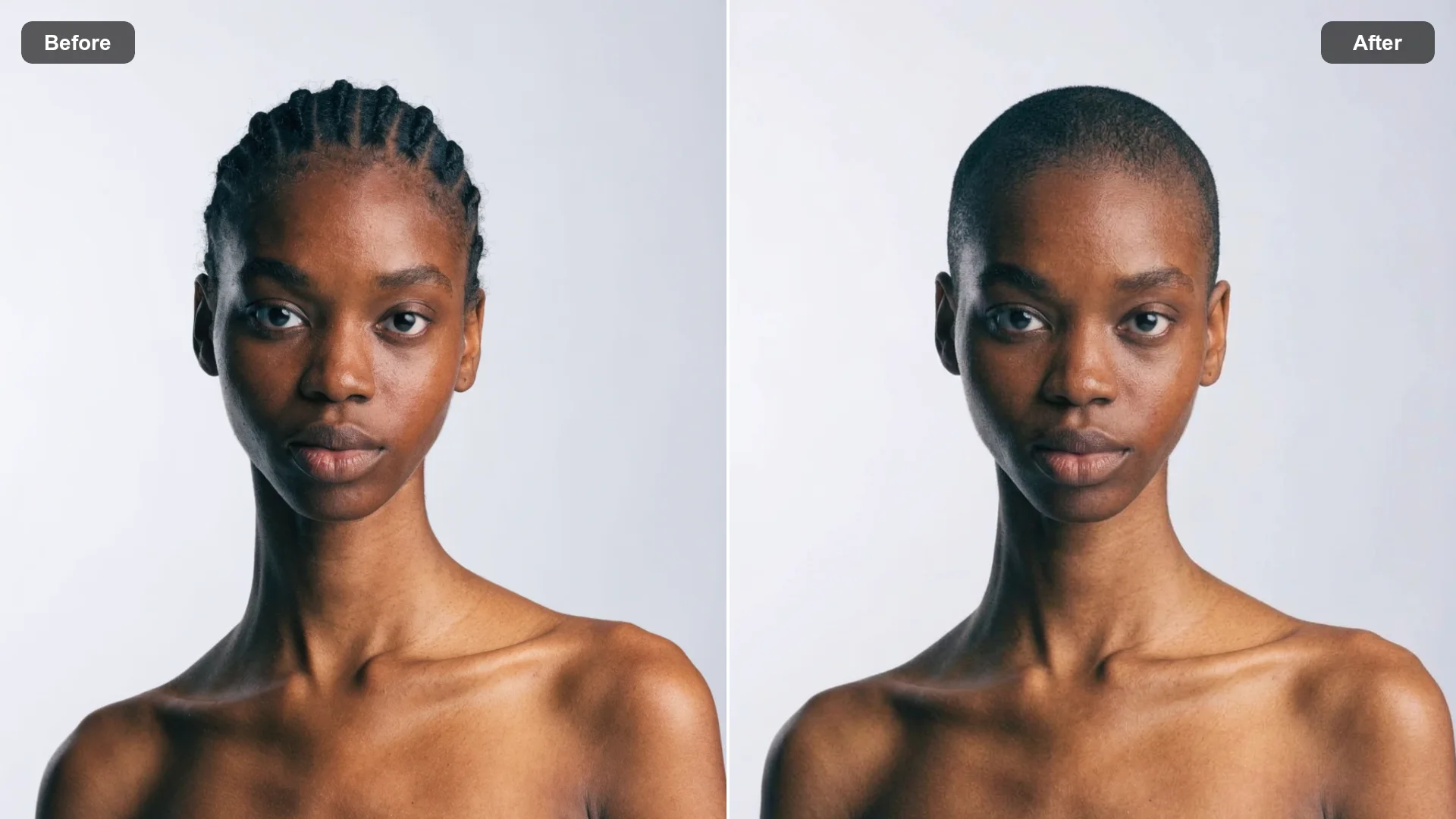
Straight, curly, coily, braided or locked: the filter follows the real hairline and the curve of the scalp for each one, so the short hair sits where it would after a real cut. It works on every skin tone, and it keeps the light and background of your original photo, so the before and after read as the same moment.
One Filter for Any Portrait
Use a selfie, a headshot or a half-length portrait. Nothing to set up and no prompt to write: choose your photo, apply the filter and download the result in under a minute. Pro members can apply it to up to ten photos at once to compare angles, lighting or a few different people side by side.
Discover the Possibilities
Try the Buzz Cut Before You Pick Up the Clippers
Plan a Big Chop
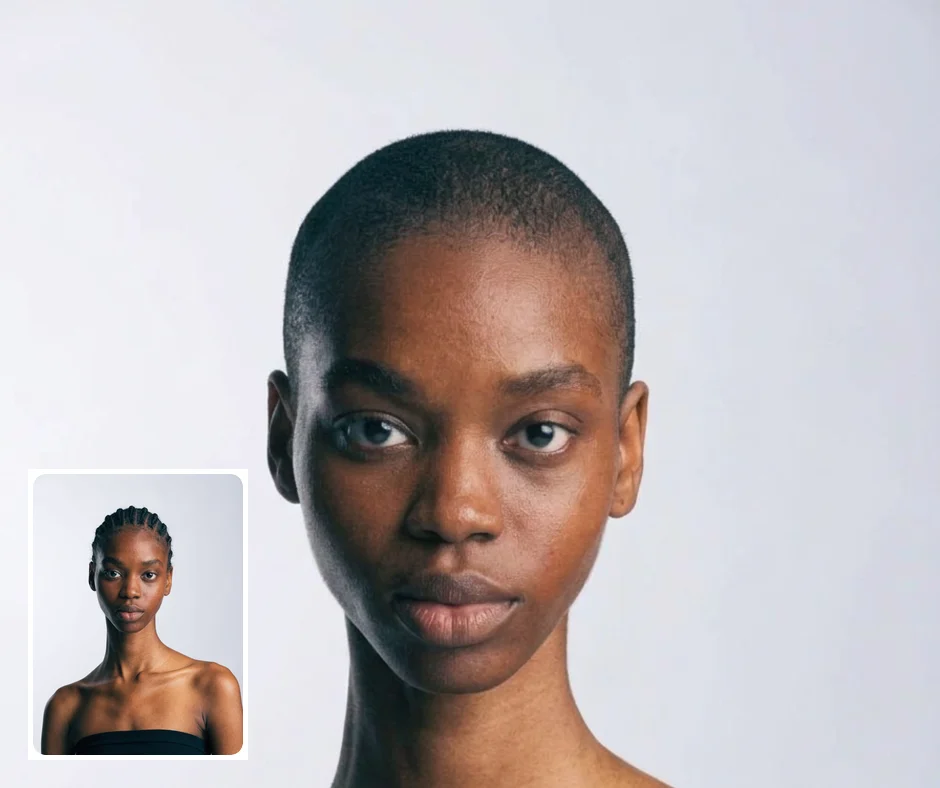
Thinking about cutting off braids, locs or years of length? See the short, clean shape first and decide with a picture in front of you, not a guess.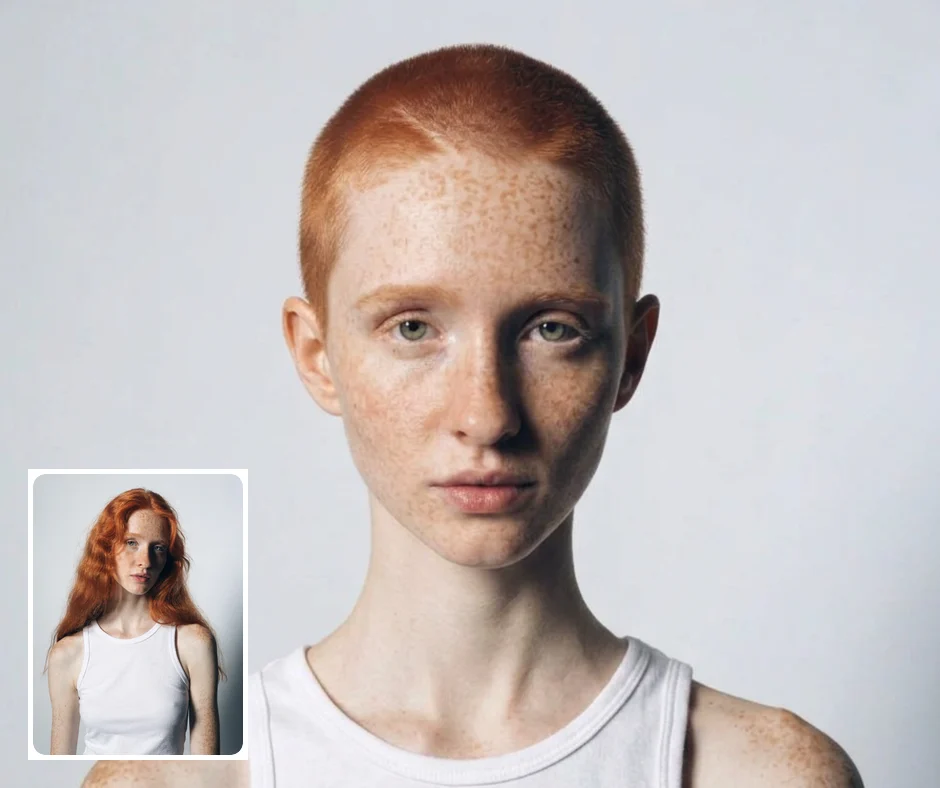
Preview a Look for a Role or Shoot
Actors, models, cosplayers and stylists can show how a shaved look would read on camera before anyone touches the real hair.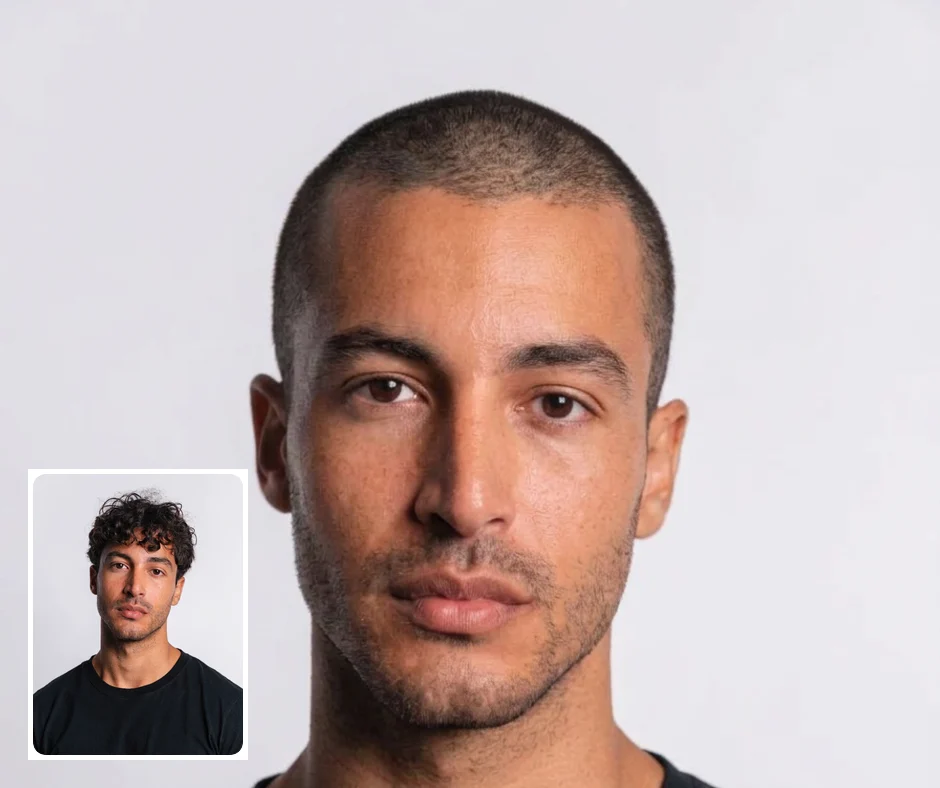
Show Your Barber What You Want
Bring a picture of yourself with the cut instead of a stranger's photo, and share it with friends for a second opinion before the appointment.
Transform Your Photos
Explore More AI Image Filters
Frequently Asked Questions
What is the AI Buzz Cut filter?
It is an AI photo filter that gives the person in your photo a buzz cut: an even, very short stubble all over the head. Everything else in the photo, including the face, expression, skin, clothing, lighting and background, is kept as it was.
Will it still look like me?
Yes. The filter is told to change only the hair and to keep your face, features, skin tone and expression. The result is meant to read as a photo of you, taken in the same session, with a different haircut.
Does it work on long, curly or braided hair?
Yes. Long, curly, coily and braided hair are all removed and replaced with short stubble that follows your real hairline. The stubble keeps your natural hair colour.
What kind of photo works best?
A clear photo of one person, facing the camera or at a slight angle, with the whole head in the frame. Good, even light helps the stubble look natural. Group photos and heads cut off by the edge of the frame give weaker results.
Can I apply the filter to several photos at once?
Pro members can apply the filter to up to ten photos in one go. On other plans, one photo is processed at a time.
How much does it cost?
Each photo uses credits from your Patternful plan. The Generate button shows the exact cost before you apply the filter, and you are not charged for a photo that fails.