
Upscale a Tile That Still Tiles
A general-purpose upscaler invents detail past your tile's edges and quietly breaks the repeat. This one enlarges your tile in the context of its own neighbours, so the edges still meet and the pattern keeps tiling. Drag the slider to compare.
Print Bigger Without Going Soft
Fabric, wallpaper, and packaging demand far more pixels than a screen does. Upscaling to 2x or 4x gives a tile the resolution to hold up at print size, instead of turning soft the moment it is enlarged on press.
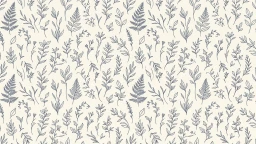
Verify the Seams Before You Commit
Every result comes with a full-screen repeat preview, so you can confirm your upscaled tile still lines up before you send it to a printer. Seeing the pattern repeat is the only way to be sure — a single tile never tells you.


Recover Detail, Not Just Pixels
Enlarging a tile in an image editor stretches the pixels it already has, so a soft pattern only gets softer. The AI upscaler reconstructs petal edges, linework, and texture as it goes, so the repeat holds up close to the eye.
Explore More AI Tools
Frequently Asked Questions
What does the seamless pattern upscaler do?
It enlarges a pattern tile to 2x or 4x its original resolution while keeping it seamless, so the upscaled tile still repeats perfectly. It is built for tiles specifically: a normal upscaler can enlarge a pattern, but it will usually break the tiling in the process.
Why would a normal upscaler break my seamless pattern?
An upscaler has to guess what belongs at the edges of an image. Given a bare tile, it has nothing beyond the border to work from, so it invents context and shifts the tile's edge pixels. Those edges are the whole basis of a seamless repeat, so the tile can come back sharper but no longer tiles — and the damage only shows up once you repeat it.
How does this upscaler keep the pattern seamless?
Before enlarging your tile, we surround it with its own repeats, so every edge is bordered by the pattern that will actually sit next to it. The upscaler then rebuilds the edges from real neighbouring detail instead of guesswork. Once it is done, we cut the centre tile back out at its new size, so what you download is the tile alone — still lining up with itself.
What scales can I upscale to?
2x and 4x. Your tile is enlarged together with a band of its surrounding repeats, so the image the model actually processes is larger than the tile itself — which is why the very high factors offered by general-purpose upscalers are not available here.
What image formats and sizes can I upload?
JPG and PNG, up to 8MB at 2x and 4MB at 4x. Tiles larger than 1024px on their longest edge are scaled to fit that bound before upscaling, which keeps the job inside what the model can handle reliably.
How much does it cost?
One credit per upscale, at either scale. You will need to be signed in to run it, though you can upload and look at your tile without an account.
How do I confirm my upscaled tile is still seamless?
Use the “Check the repeat” button on your result. It tiles your upscaled pattern full-screen, exactly the way a printer or a CSS background would, so you can look along the edges and confirm nothing has drifted. You can also drop the downloaded file into our free Seamless Pattern Checker.
My tile was not seamless to begin with — will this fix it?
No. The upscaler preserves whatever tiling your source already had; it does not repair a tile whose edges never lined up. If your pattern shows seams before upscaling, it will still show them afterwards — just at a higher resolution. Generate a pattern that is seamless by construction instead.