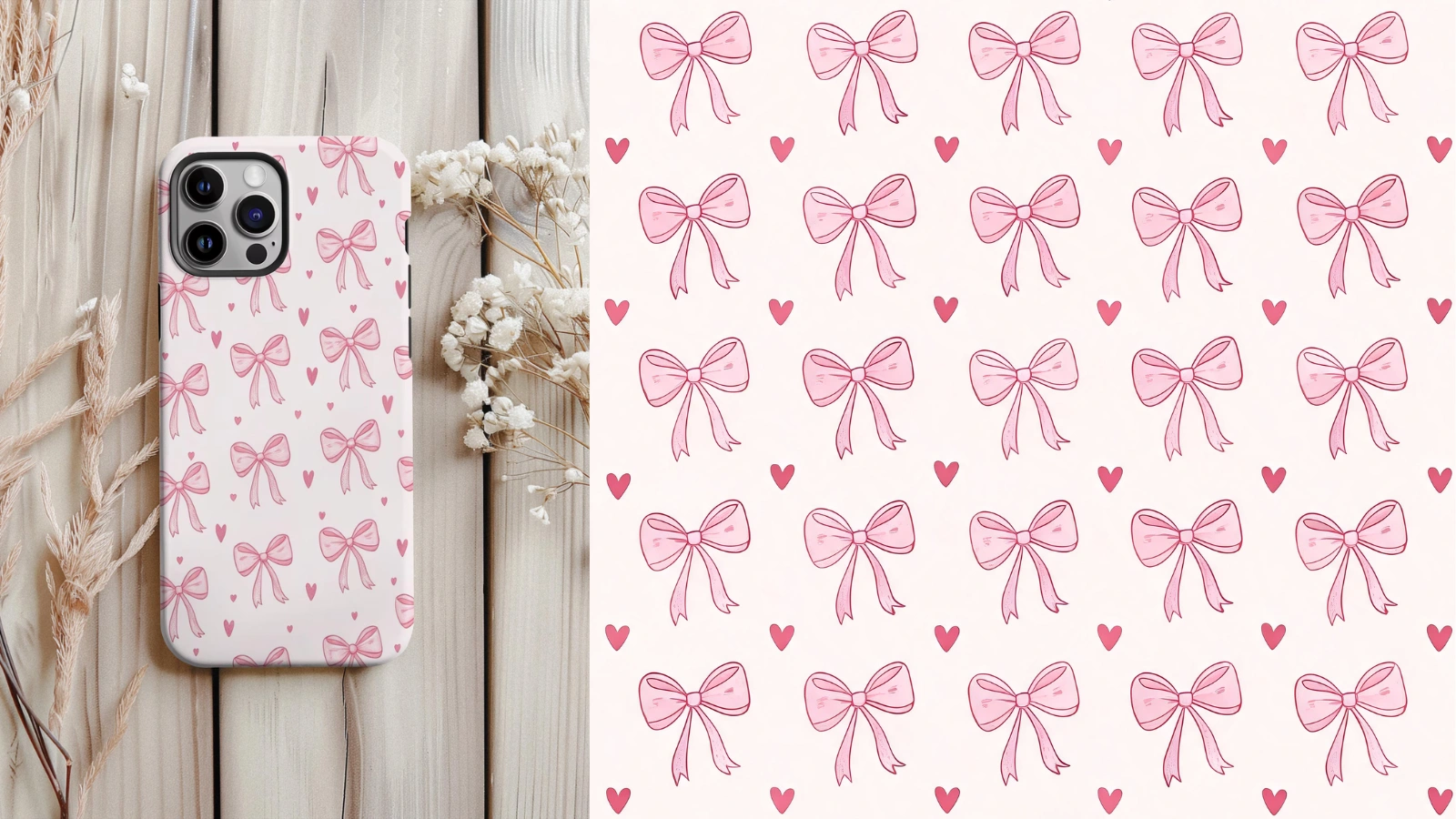
Recover the Pattern, Not the Photo
You found a print you love on a phone case or a scrap of fabric, but all you have is a photo of the object. The retriever lifts the pattern off the object and rebuilds it flat and front-on, so you end up with the design itself instead of a picture of the thing it was printed on.
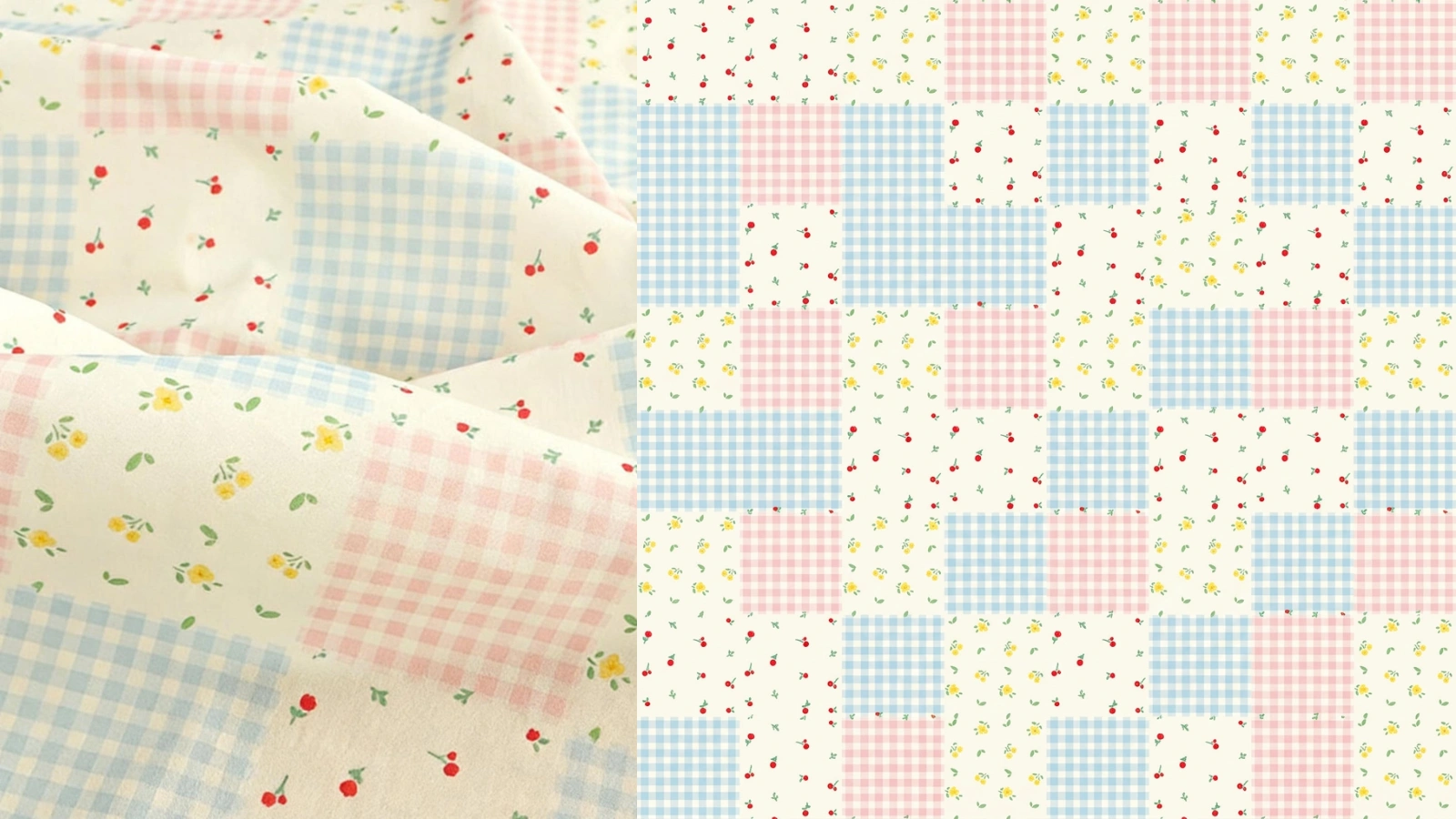
A Tile You Can Actually Repeat
A pattern curved over an object, lit from one side and cut off at the edges will never tile. The retriever straightens the perspective, evens out the lighting, and rebuilds the edges so they meet — turning a photograph into a tile you can lay down across fabric, wallpaper, or a background.
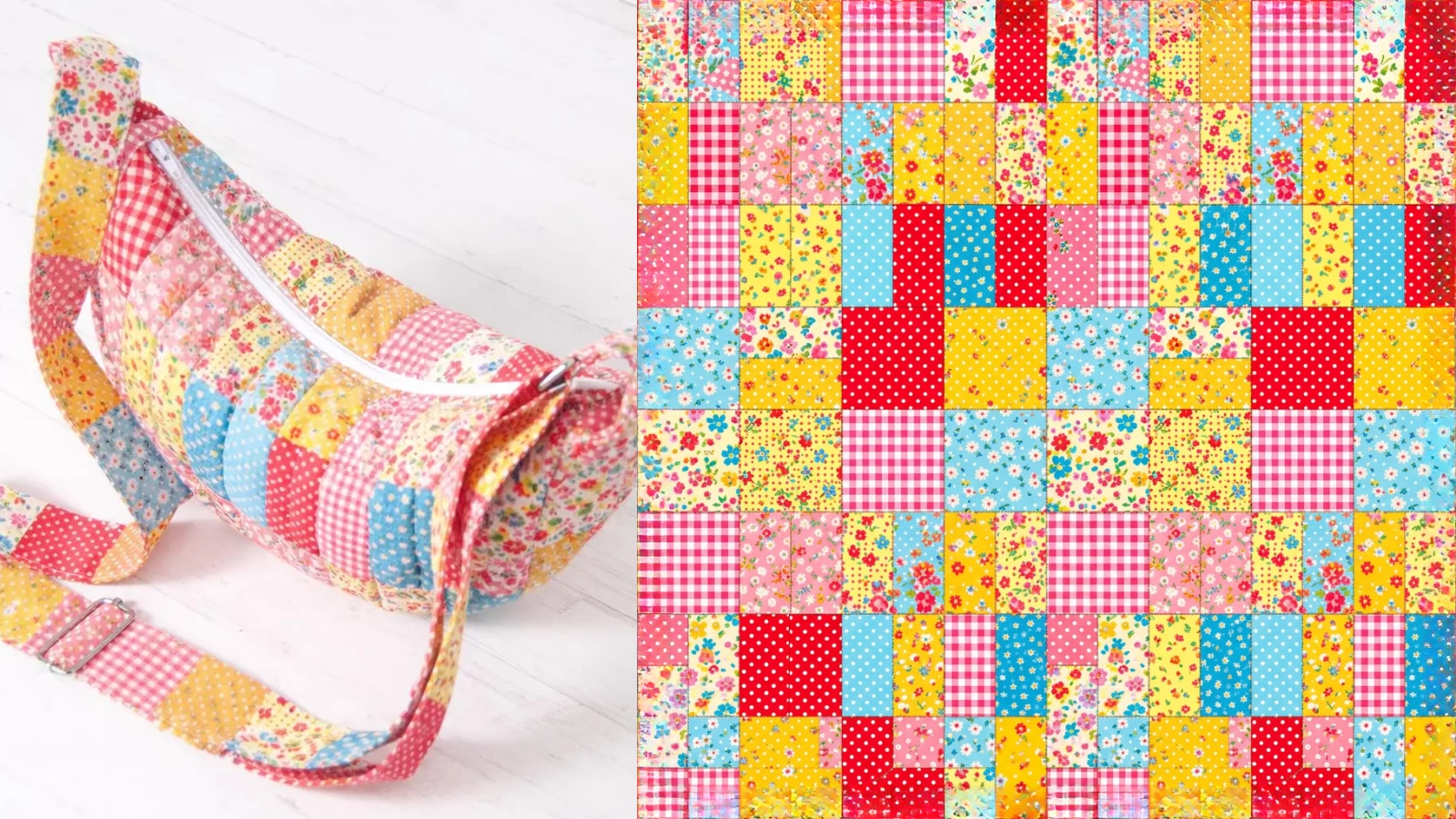
From Anything That Carries a Print
Phone cases, fabric, wrapping paper, tiled walls, notebook covers, packaging — if it carries a repeating print, you can photograph it and get the pattern back. It does not matter that the surface is curved, angled, or only partly in frame; the reconstruction works from whatever the print shows.
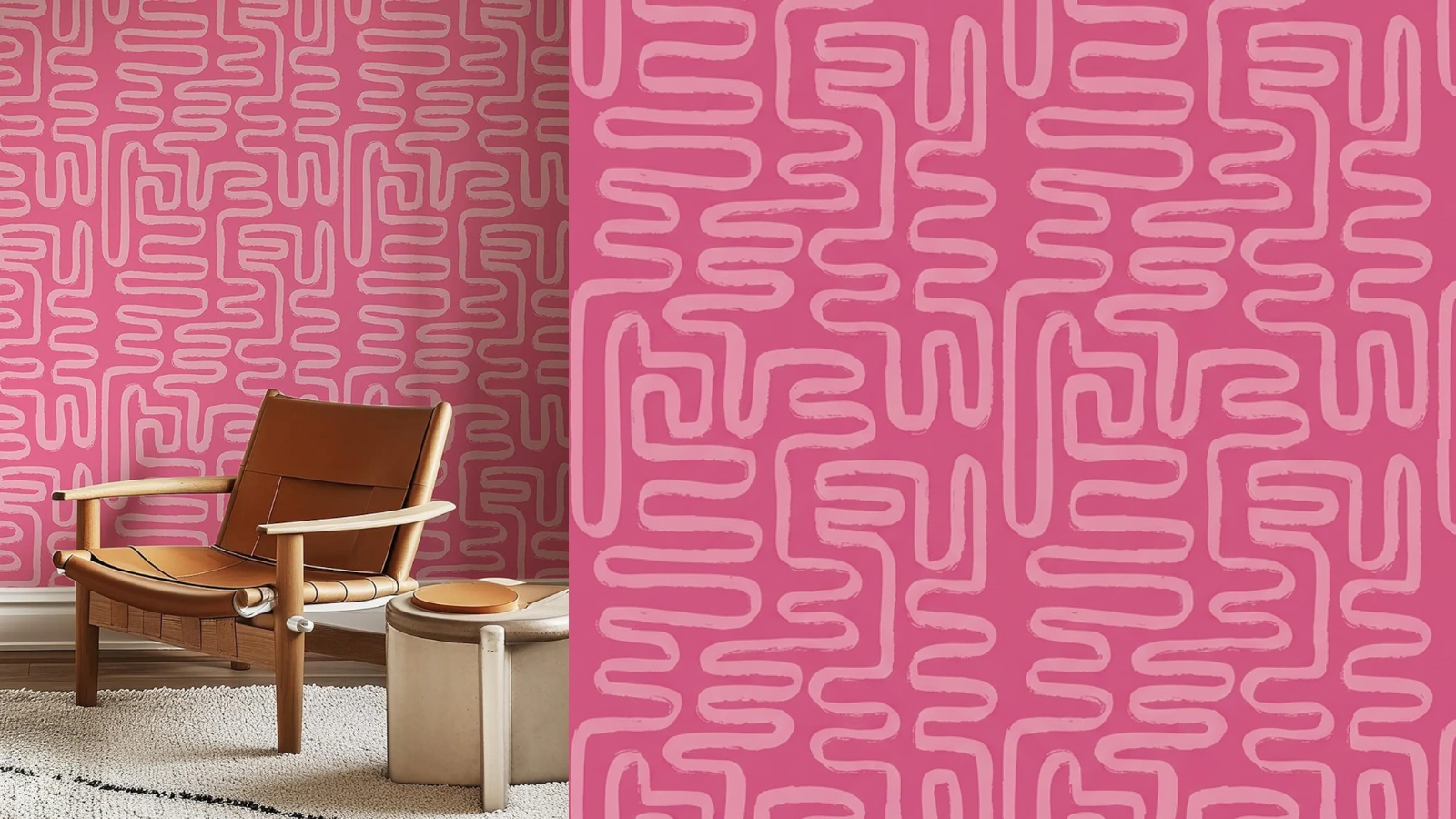
Confirm the Seams Before You Use It
Every result comes with a full-screen repeat preview, so you can tile your retrieved pattern and look along the joins before you commit it to print. Seeing the pattern repeat is the only way to be sure — a single tile never tells you. If a join drifts, the Seamless Pattern Fixer can close it.
Explore More AI Tools
Frequently Asked Questions
What does the seamless pattern retriever do?
It takes a photo of a real object that carries a repeating print — a phone case, a length of fabric, a roll of wrapping paper, a tiled wall — and reconstructs the flat, front-facing pattern behind it. It strips away the object's shape, the perspective, the lighting and the background, and hands back a clean, seamlessly tileable version of the pattern itself.
How is this different from just cropping the pattern out of my photo?
A crop still carries the photo with it: the pattern is curved over the object, lit unevenly, shot at an angle, and cut off wherever the object ends. None of that tiles. The retriever rebuilds the pattern as if it had been drawn flat — even lighting, straight-on view, edges that line up — so what you get back is an actual tile rather than a slice of a photograph.
What kind of photo should I upload?
The clearer the pattern reads in your photo, the better the result. A well-lit, roughly front-on shot where the print fills most of the frame gives the model the most to work from. Steep angles, heavy glare, motion blur, or a pattern that is tiny in the corner of the frame all make the reconstruction harder.
Will the retrieved pattern be perfectly seamless?
It is reconstructed to tile, and most results repeat cleanly — but a photo of an object is a hard starting point, so it is worth confirming. Every result comes with a full-screen repeat preview so you can tile it and look along the edges before you use it. If a join drifts, you can run the result through the Seamless Pattern Fixer.
How faithful is it to the original pattern?
It reconstructs the pattern rather than copying it pixel for pixel: motifs, colours and the overall layout are recovered, but fine detail that the photo never captured clearly is rebuilt by the model. Think of it as recovering the design, not scanning it — the closer and cleaner your photo, the closer the result stays to the original.
What image formats and sizes can I upload?
JPG and PNG, up to 8MB. A photo where the pattern is large and in focus gives the most to work from.
How much does it cost?
Two credits per retrieval. You will need to be signed in to run it, though you can upload and look at your photo without an account.
What can I do with the pattern once I have it?
Anything you would do with a tile you generated: print it onto fabric or wallpaper, use it as a web background, or drop it into the editor to recolour and rework it. If you want it larger for print, run it through the Seamless Pattern Upscaler.