Book Cover Images
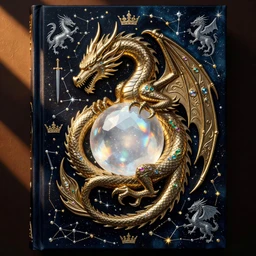



Recover Lost Detail, Not Just Enlarge
A book cover image upscaler doesn't simply stretch pixels—Patternful's AI intelligently reconstructs fine details in typography, illustrations, textures, and color gradients. Whether your cover art started as a sketch, a compressed digital file, or an old scan, our engine analyzes the image structure and fills in missing visual information to reveal the detail that was always there. The result is a crisp, refined book cover that looks professionally rendered, not artificially enlarged.


Print-Ready Resolution for Publishers and Authors
Self-publishing and traditional publishers alike demand high-resolution cover images—typically 300 DPI or 3000×4500 pixels for standard paperbacks. Patternful's book cover image upscaler transforms smaller or lower-quality images into full print-ready files in seconds. Your cover art emerges with the sharpness, color fidelity, and detail reproduction needed for bookstore shelves, Amazon thumbnails, and professional distribution channels, all without manual editing.


One Click, No Retouching Required
Forget complex editing software and tedious manual adjustments. Upload your book cover image, choose your desired output size, and let Patternful's AI handle the heavy lifting. Our book cover image upscaler produces polished, market-ready results instantly—no filters to tweak, no layers to blend, no expertise required. From independent authors to marketing teams, anyone can upscale and deploy professional cover artwork in minutes.
Popular Uses for Upscaled Book Cover Images
Self-Publishing & Print-On-Demand
Authors uploading low-resolution cover designs to Amazon KDP, IngramSpark, or other POD platforms can use our book cover image upscaler to meet strict resolution requirements and ensure their cover looks sharp in print and on digital storefronts.Ebook Store Optimization
Ebook retailers display cover thumbnails at various sizes. Upscaling your book cover image to high resolution ensures crisp, legible artwork across all devices and screen densities, improving click-through and perceived professionalism.Marketing & Social Media Promotion
Promote your book across social platforms, author websites, and advertising campaigns with a sharp, vibrant cover image. Our book cover image upscaler delivers the resolution and detail needed to stand out in feeds and ads.
Frequently Asked Questions
Can I upscale a book cover image that's blurry or low-quality?
Yes. Patternful's AI is designed to recover detail and clarity from compressed, blurry, or low-resolution book cover images. The more original detail present, the sharper the result, but even heavily compressed covers benefit from reconstruction and enhancement.
What file formats and sizes does the book cover image upscaler accept?
We accept JPG, PNG, WebP, and other common image formats. You can upload covers of virtually any size—from small thumbnails to large originals. Our book cover image upscaler will scale them to your chosen output dimensions while maintaining quality and detail.
How do I upscale my own image?
Click "Upscale an Image" to open the Patternful Image Upscaler, upload your book cover images (or any photo), and let the AI enhance the resolution and detail. Then download the high-resolution result — no design skills required.
Will upscaling add detail or just make the image bigger?
The AI upscaler reconstructs fine detail and sharpens edges as it increases resolution, so results look genuinely crisper — not just a stretched, blurry enlargement. It works best on photos that are soft, low-resolution, or small.
What formats and sizes are supported?
You can upload common image formats (JPEG, PNG, WEBP) and download the upscaled result at a higher resolution suitable for print, social media, and web. Larger source images produce larger, more detailed outputs.